
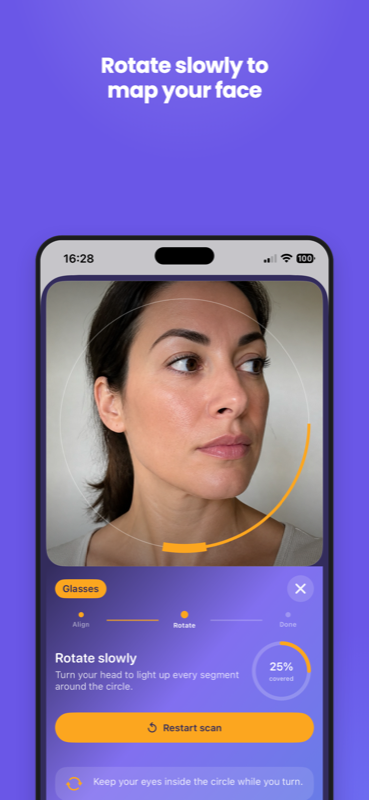
Glasses
Hold your iPhone at arm’s length and scan your face. AI Sizer measures head width and pupillary distance, then maps them to a frame size (XS–XL) you can reuse in store or keep on your phone.
One free app for eyewear and footwear sizing. When a store uses AI Sizer, you measure on your phone and matching products appear in their catalog.
Tap the sizing button on a participating store. Your iPhone opens a quick measure flow. When you are done, the store sees your size and can show only items that fit.
Hold your iPhone at arm’s length and scan your face. AI Sizer measures head width and pupillary distance, then maps them to a frame size (XS–XL) you can reuse in store or keep on your phone.
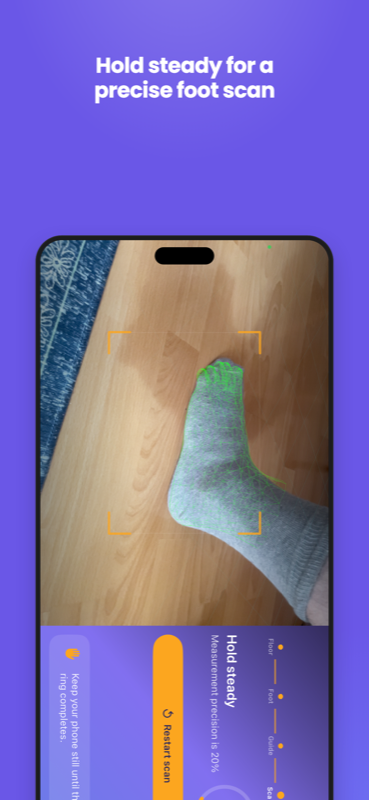
Place your foot in view and follow the on-screen guide. AI Sizer measures length and width, then resolves EU and US shoe sizes so partner stores can show only pairs that fit — or a custom 3D shoe can be generated from the same scan.
Face and foot scans run on your iPhone in real time — raw camera frames stay on the device. The app only shares the size labels a store needs to filter its catalog, which keeps your measurement data private.
Many stores let you measure right from Safari using a lightweight App Clip — a small preview of the app that opens from the store link. You can complete a scan and return to shopping without installing anything. If you measure often, download AI Sizer from the App Store to save profiles on your phone.